
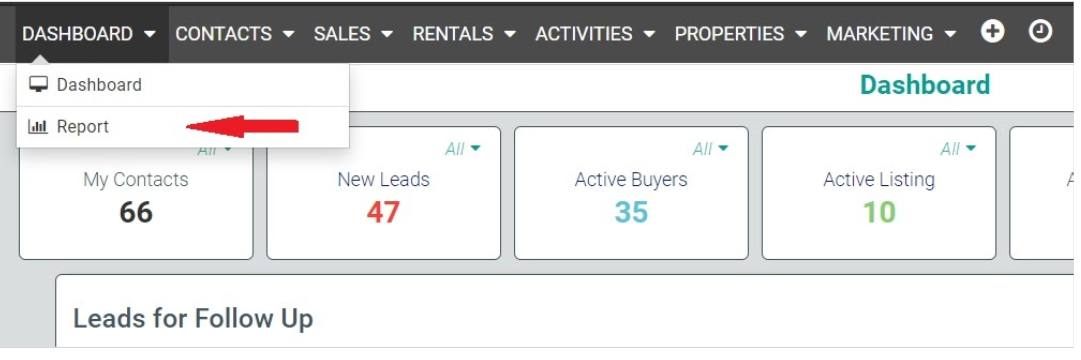
Choose report from the Dashboard drop down
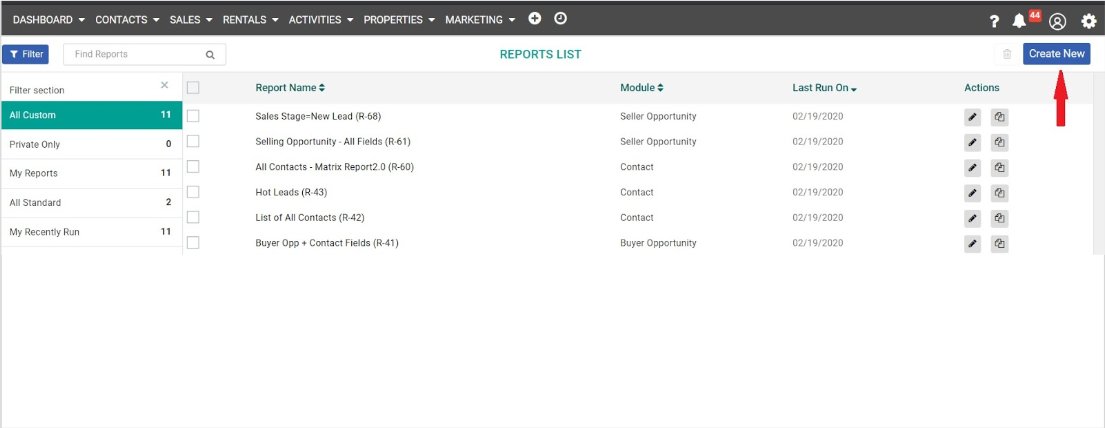
Click on create new report
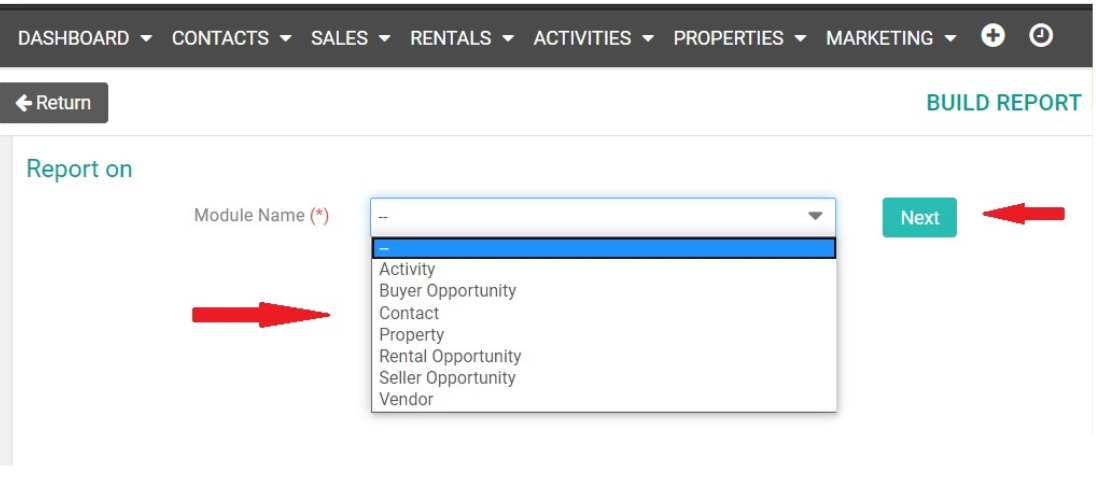
Select the module, please note if you are trying to export all contacts choose contacts as the module
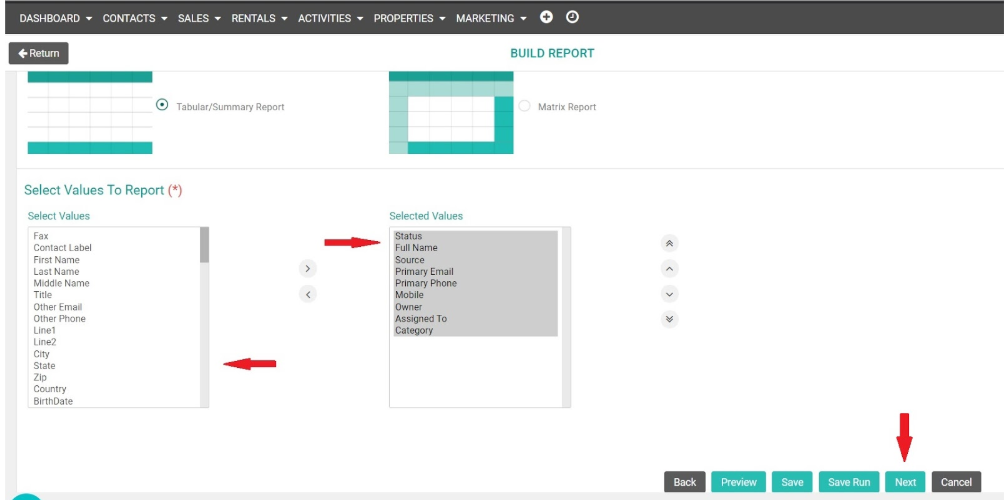
Choose the required field and click on next to proceed
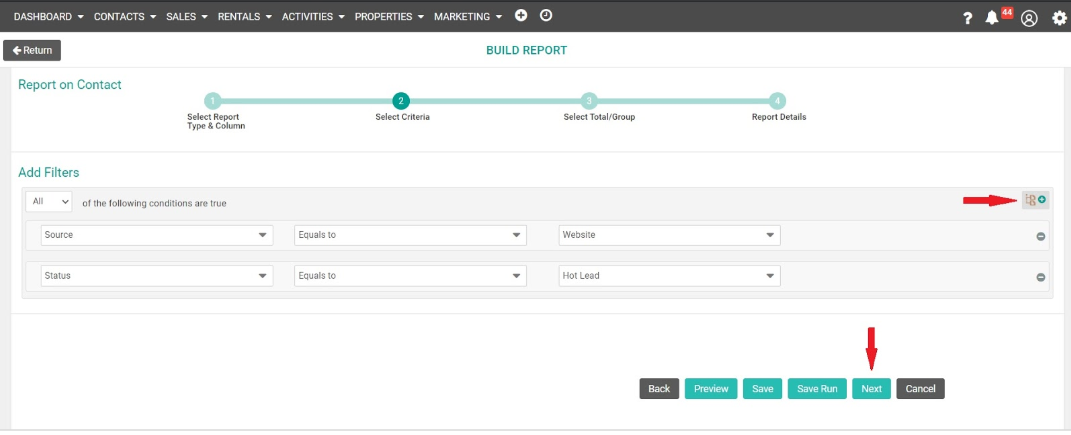
Add filters (if required) & click on Next to proceed
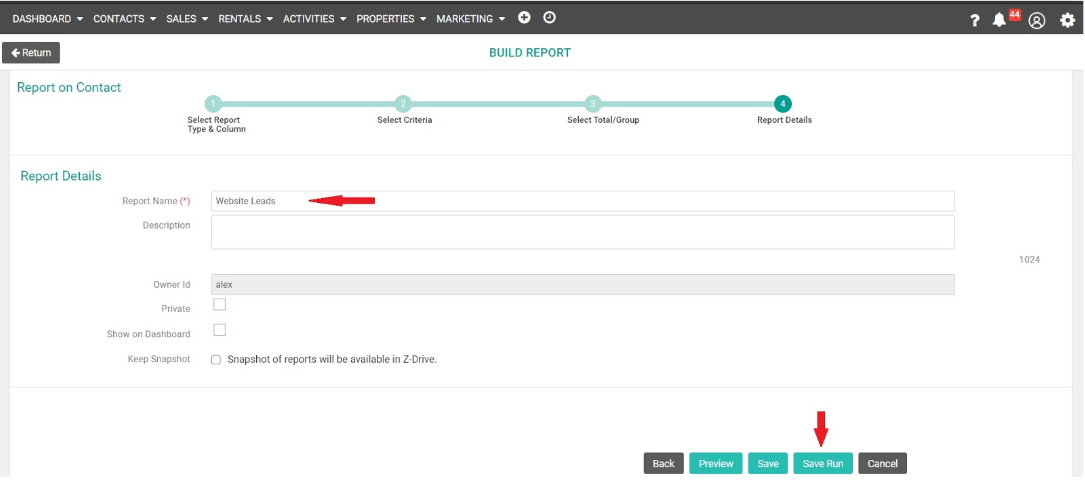
Name your Report & click on ‘Save Run’
Click on ‘Export As CSV’ from Action button
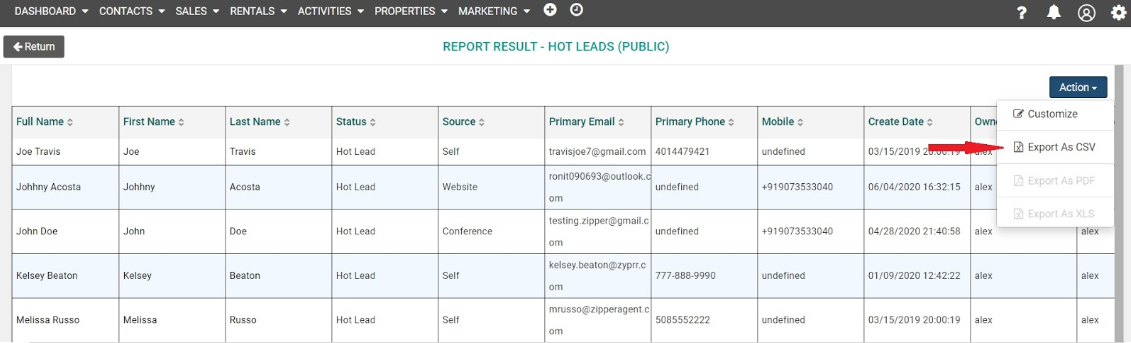
To run a future export simply go to the dashboard click the name of the report and then actions to the right.